
90 days with the dashboard I built, and what I still don't use
A while back, when I was still in the early stages of learning GitHub and just starting to dip my toes into vibe coding, I built a custom dashboard for my own workflow.
I'd already ditched most of my subscriptions, and I wasn't planning to start building things again in 2026, but fate had other plans for me.
Read also: Google Workspace Is Out. iCloud Mail and Spacemail Are In
I built a custom solution because PM tools like Notion are too bloated for me, Obsidian has too steep a learning curve, and ClickUp and its cousins tilt me the fuck out with all their talk of streamlining your work.
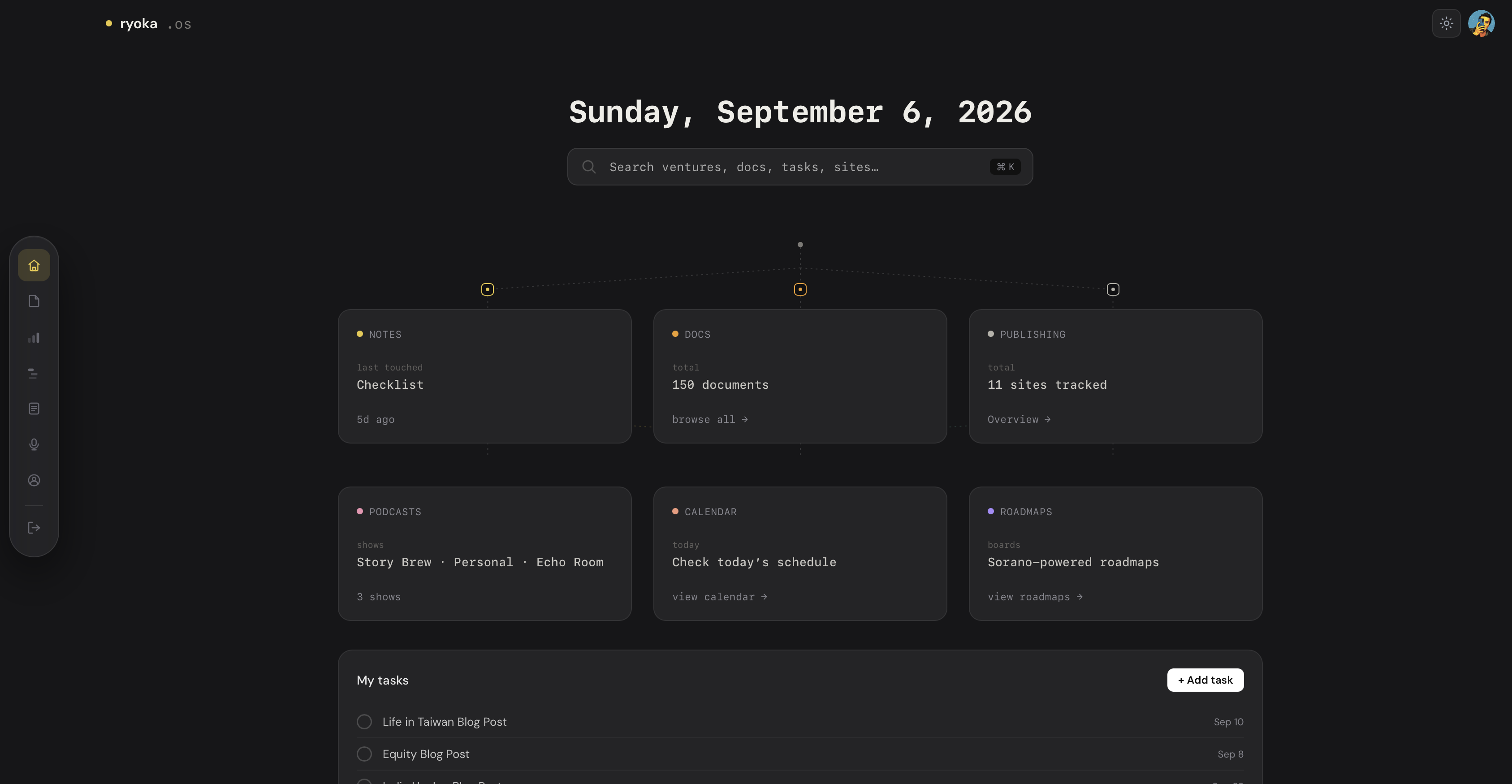
Those tools just aren't built for me anymore. I wanted something sustainable, something that strips away the bells and whistles.
I made dozens of iterations in the first month, and after that I barely touched the core. Just small additions here and there, or another blog I needed to plug in.
Read also: I Built an Entire OS Dashboard for My Needs
The premise was straightforward from the start. It didn't need to be fancy, just minimal, and centered on content creation, content management, and tracking my progress. Everything else was secondary.
What I built
There's a notes section and a mail client of sorts that pulls in everything from all my email addresses, sorted per account. I made some changes after the Spacemail outage, but it's still in there.
There's a ventures overview with more detail per project, which doubles as a brand guideline or primary reference. Planning is mostly for jotting down future ideas, plus a to-do list connected to a custom calendar I built in.
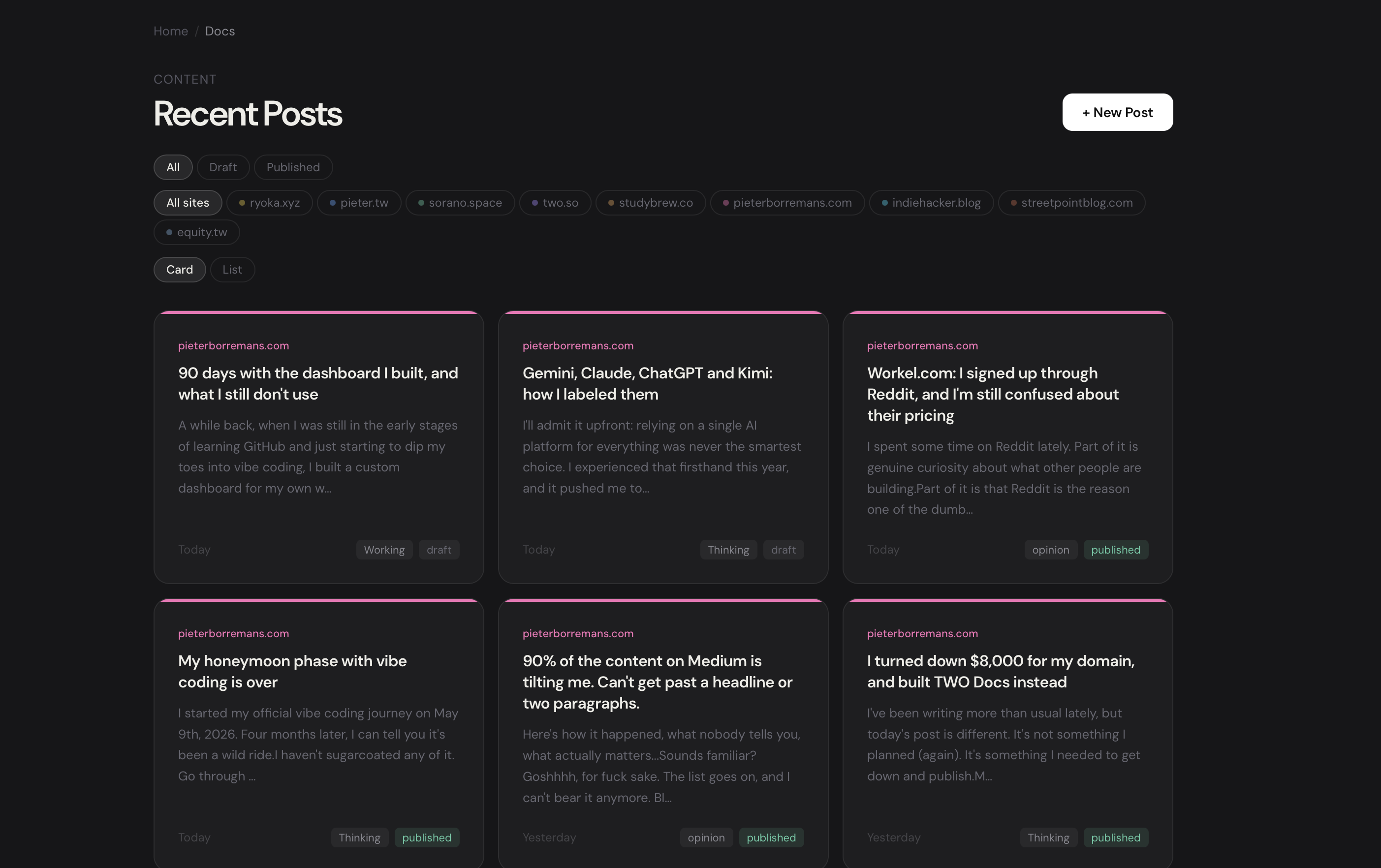
Content is the largest part of the dashboard.
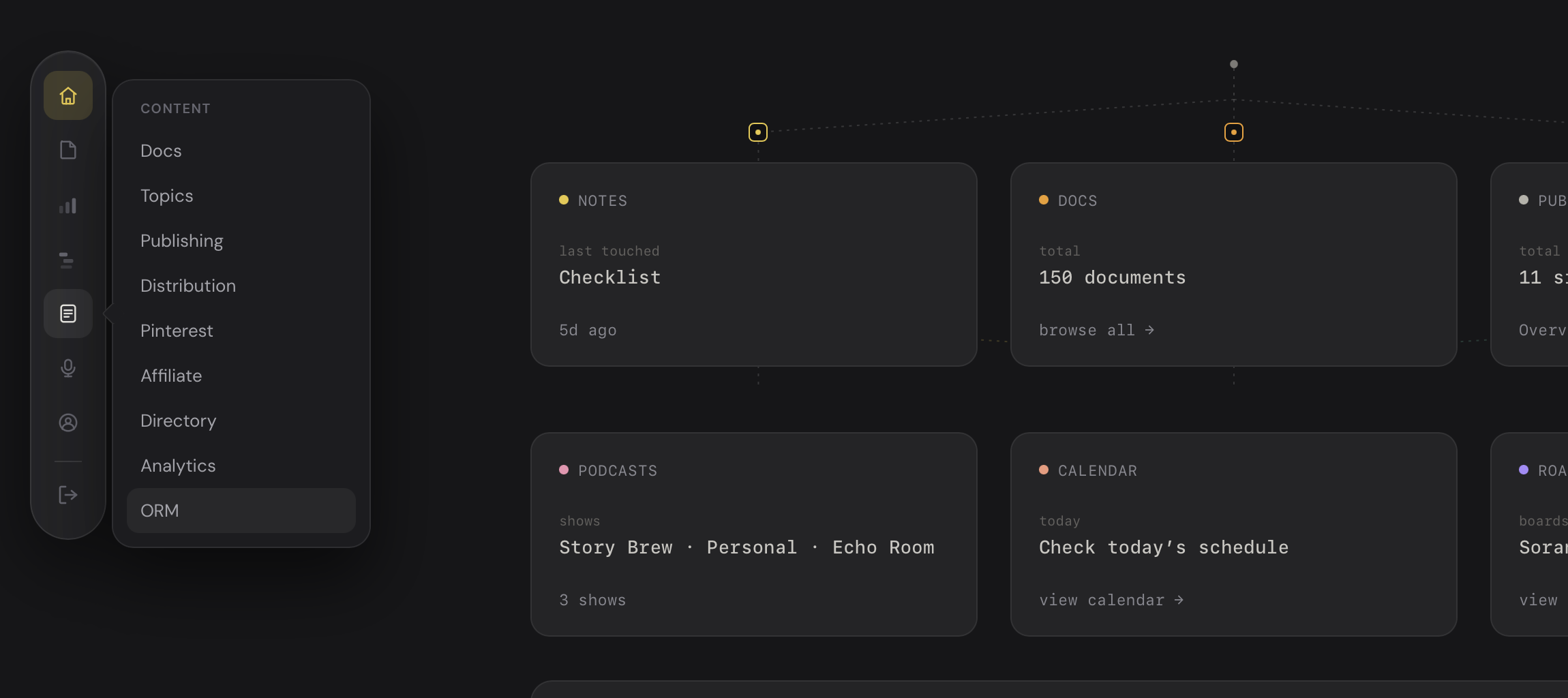
This is where I write, push, and publish drafts to every blog and site I run.
It also includes Pinterest management, since that effort deserves its own space, along with publishing and distribution, which I'll get into more below.
Podcasts get their own section too, because I'm managing four channels at once, and figuring out how to track, read, record, and publish all of that took real thought.
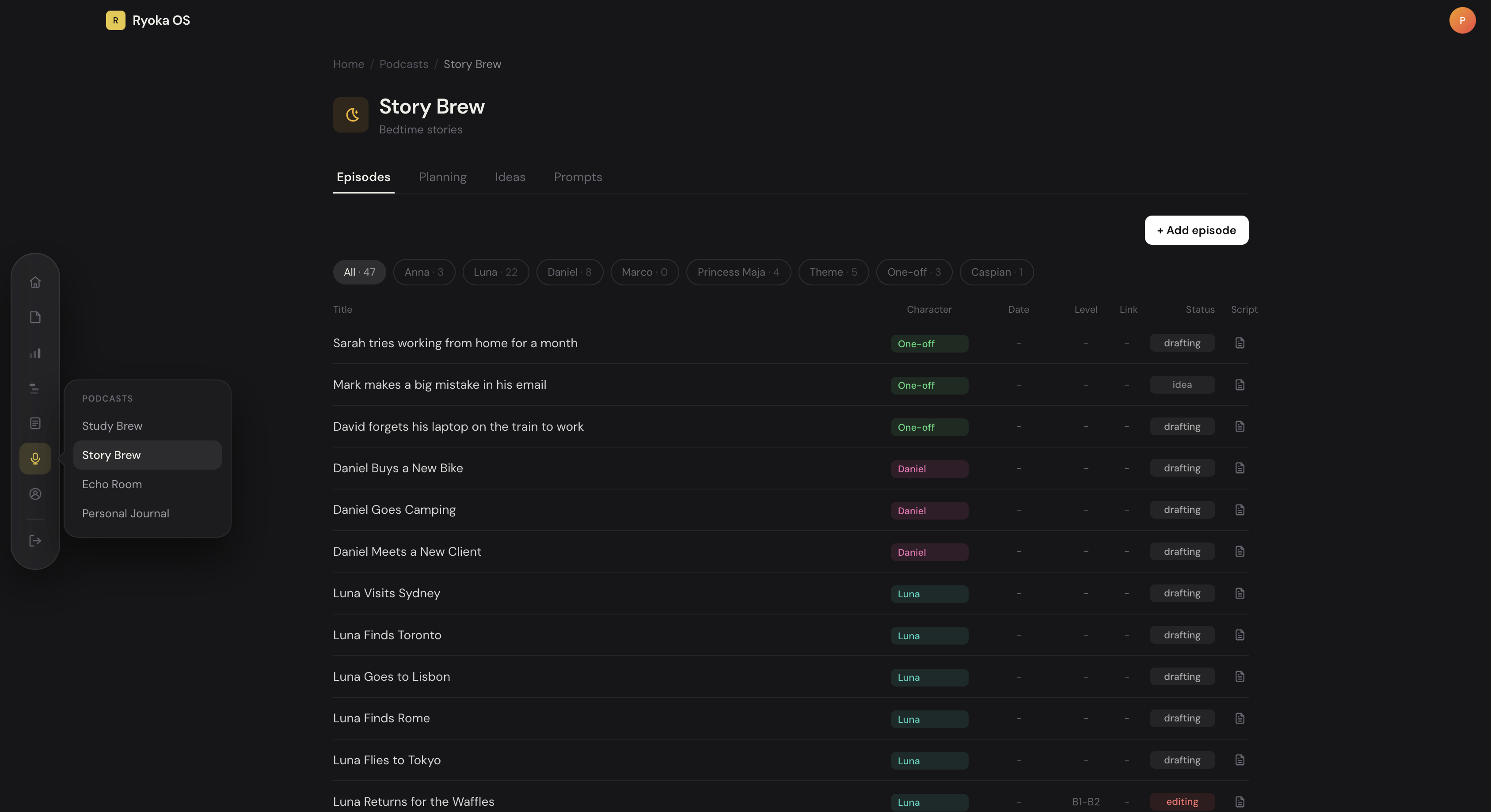
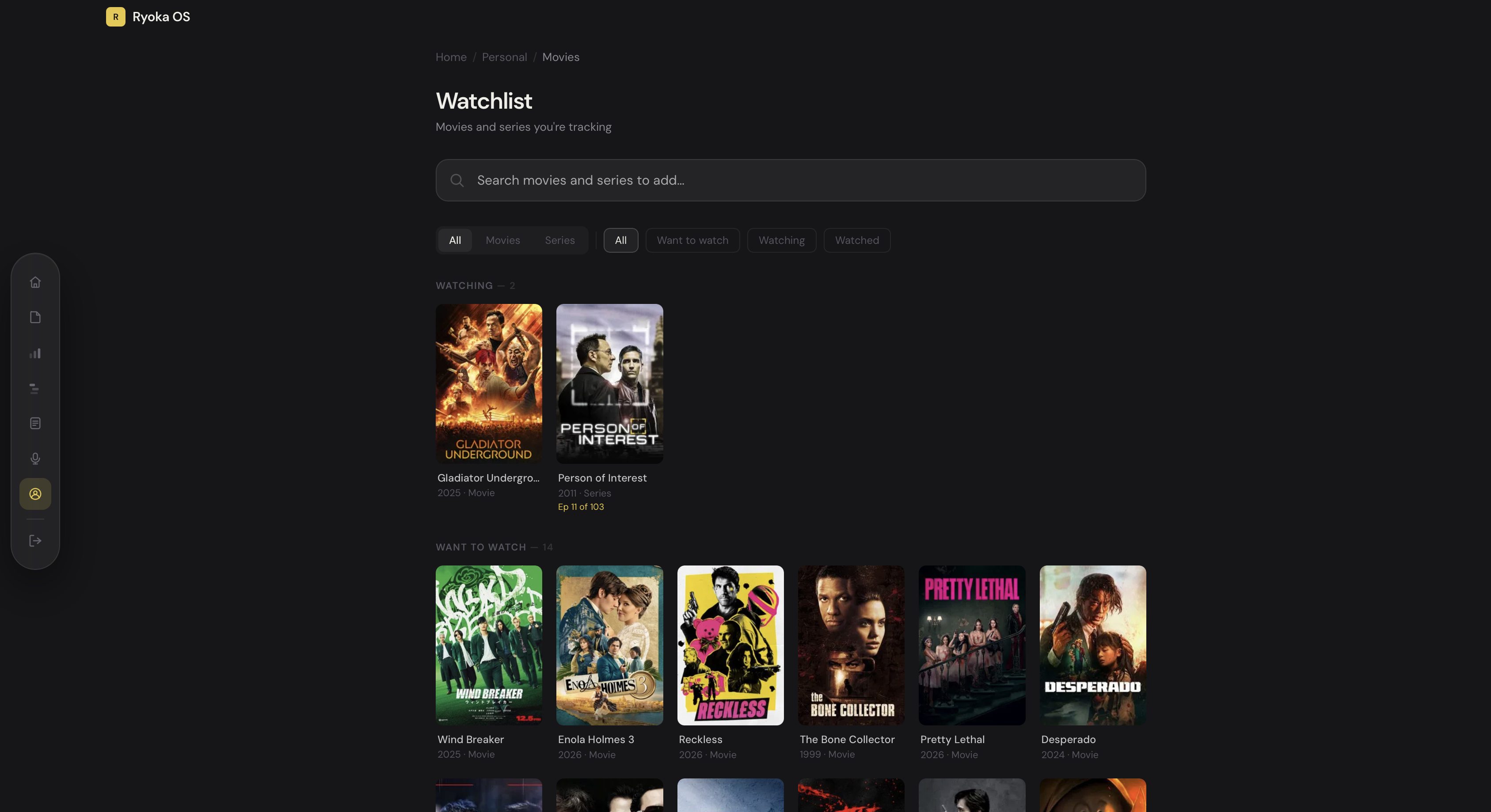
The rest is minor: a movie watchlist and a subscription tracker, even though I already built a separate one of those too.
Read also: I Built a Free Subscription Tracker
All in all, I built something genuinely useful. My workflow moves ten times faster because I'm not paying the multi-app tax anymore.
The one shift is that I now use my flagship SaaS app as my primary docs editor, and this dashboard as the final landing spot before I publish.
Read also: I underused my own SaaS app, until now
Even with that shift, I'm still running about eighty percent of my entire workflow through two apps, and I think that's genuinely impressive.
What's used the least?
I wanted to check, for myself, whether I built this with intent or whether I overbuilt it. Three months felt like a fair benchmark to see if everything I added made sense.
Looking back, a few things get less use than I expected. The movie watchlist barely gets touched, mostly because I'm too focused on other things right now. Same with the subscription tracker.
The ventures overview page has turned into more of a set-and-forget space, only updated when something changes drastically, and even then it's incomplete.
Some projects are shelved, and others, like my $12 stupid website idea, aren't even logged yet.
Calendar, mail, and tasks are the most underused of all. I do check mail inside the dashboard, but I still reply to everything through Apple Mail, which makes me wonder if I should strip that feature down or drop it entirely.
Tasks and calendar are something I half expected from myself, honestly. I'm so used to jotting a quick list in a note, or still, in Apple Notes, that I forget those features exist in my dashboard at all.
My tasks are almost always short sprints or things for the next day, and I found that adding dates or planning them out took more time than it saved. That might change down the line, once I need to plan further ahead instead of doing everything ad-hoc shit, which is basically how I run things now.
The notes function sits somewhere in between. I use it for checklists, recaps of Claude Code sessions, or anything with a shelf life longer than a few days. But my instinct still reaches for Apple Notes most of the time, and I think that's fine.
I'm not always behind a desk or an iPad, and when something comes to mind, I jot it down quickly there and organize it properly in the dashboard later.
What I use the most
I can confidently say I spend eighty percent of my time inside the Content area, and now the Podcast section too. That's obvious, honestly. I write like a fucking maniac.
Read also: 29 blog posts, traffic stats, and tweaks: update #11
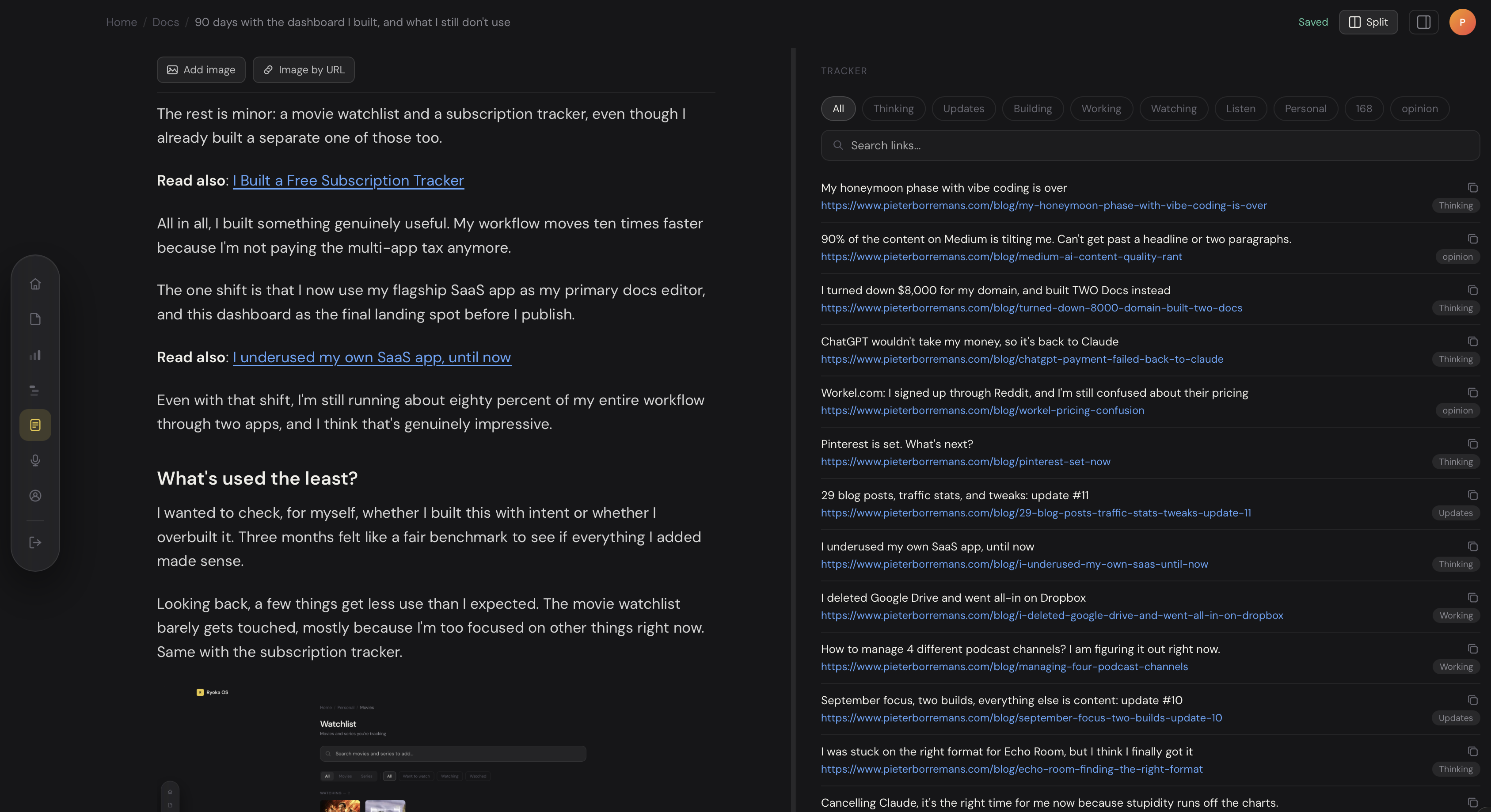
I think the one core feature that saves me the most time in writing is my split-view option I built in, which is the flagship item I built for TWO Docs first, and added it obviously right into my dashboard.
I built a custom tracker page I can set aside next to my content, like the example below. This allows me to add links effortlessly into my content. It's ofcourse not limited to a tracker. I can add any note or doc so when I do research or have notes, it's much easier for me to write faster without alt-tabbing or clicking away.
I've been putting a lot more effort into distribution on Medium and Substack, plus resharing on Pinterest, which took a while to figure out in terms of planning and managing. If I hadn't vibe-coded this dashboard together, I don't know how I'd track, plan, and organize everything without losing my mind.
Now that September is here, the podcast section is about to get a lot of use. I built it so I can track each podcast idea, story, or bedtime story, open it as a script, and switch it into reader mode to record.
Reader mode is fucking great. It's like reading off a teleprompter without straining your eyes. It's also why my iPad Pro is back in regular use this month, because that device has lost its primary spot when I started building again.
Writing and recording are finally putting it on par with the heavy workload I usually give my MacBook.
The verdict
Looking back, I save a ton of hours every day. At first I was worried I'd fall into the trap of over-building, adding features that didn't matter. I've only covered the main pieces here.
There's more underneath, tied to data, parsers, and a logbook I can't get into. The best part is that I can't ever imagine going back to what a generic market solution would offer.
Every so often I think about security, or the cost of maintaining this long-term, but that's a bridge I'll cross when I get there, assuming the cost still makes sense against what I'm getting out of it now.
The time saved is real, but it's not really about the hours. It's that I'm not bouncing between four different apps anymore, each with its own login, its own quirks, its own notifications fighting for my attention.
Working from one place all day means less noise between me and the work I am doing. And there's something to be said for a tool that doesn't change on you.
Notion pushes redesigns. ClickUp reorganizes its sidebar every few months and calls it an update. My dashboard just sits there, doing the same three things it did on day one, and that predictability is part of why it works.
I know where everything is because nothing moved. Ninety days in, I'd build it again.
Get new posts before anyone else
No noise, no automation sequences. Just what I'm writing, thinking about, and building, sent when there's something worth sending.
An email once in a while. Unsubscribe anytime.

Written by
Pieter Borremans
Writer·Content creator·Founder
Based in Taichung, Taiwan and London, UK, this is Pieter's personal journal and builder's blog: field notes on entrepreneurship, solo business-building, and the unfiltered reality of creating online. Alongside it, he's chasing one absurd goal in public, $168M USD in lifetime earnings, tracked live from zero.