
Study Brew: planning, deconstructing, and thinking ahead
I'm ahead of schedule. I feel far more comfortable now than I did during the honeymoon phase of vibe coding, and I've gone back and forth in my head trying to figure out if I'm missing something with TWO Docs right now, or if I can zoom out and let it sit for a bit.
Especially after I wrote down how to declutter my Mac app and take a slower approach instead of rushing and cramming everything together, I'm now working on a three- to four-stage plan to build a native Mac app properly.
It's September, second week, and I did mention in a past update that apart from content creation and recording, my focus this month would be TWO and Study Brew, the note-taking app for language learners.
Read also: September focus, two builds, everything else is content: update #10
Right now I'm in a phase where I need to write down where I stand with the website, the app, and the brand, and what I plan to do first.
That way I have a reference for the future, something to benchmark against. This is probably going to be another long post. I think that's fine. Writing helps me process, and it helps me deconstruct and spot flaws, which I've proven to myself in past posts.
Context and mistakes
I tried building a note-taking app for language learners once before, back in September 2025. There's a single repo on GitHub with barely a commit to its name, and that's where the attempt ended.
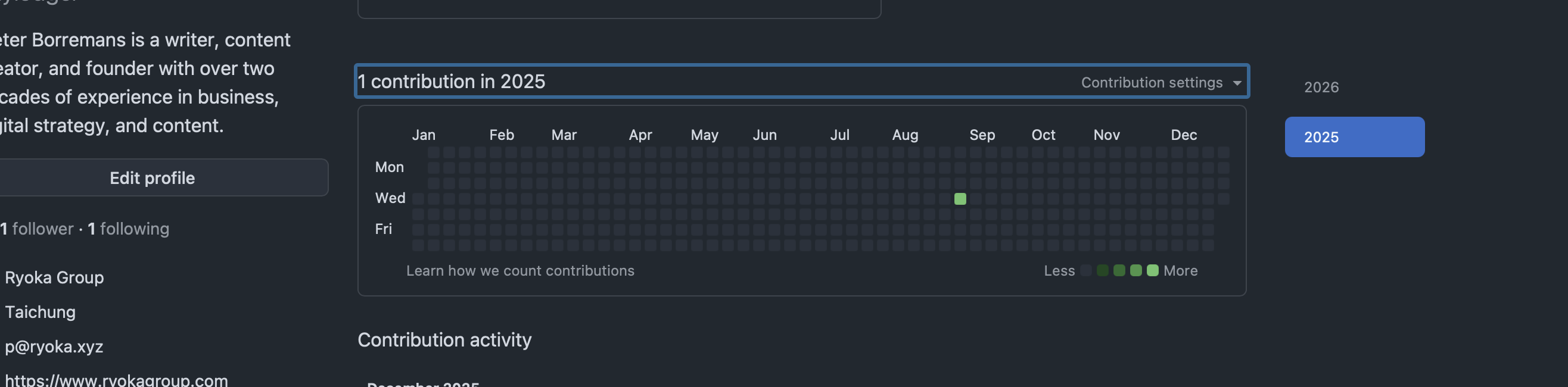
I built it in Google AI Studio, where I had zero idea what I was doing, and the moment I got past the surface level, I got stuck. I understood nothing.
It wasn't until May 9, 2026, that I started vibe coding for real. But instead of going back to the language app, I started with what's now my flagship SaaS, officially a rolled-out MVP: a docs editor with a split-screen view.
That's important, because the language app I'm building now sits on the same base and stack. The docs and notes functions, the shared spaces, the syncing etc.
All of that is integrated into Study Brew, or will be, which made building the basics a lot easier after the yelling, the frustration, and the miraculous edits I made in the GitHub web editor before I found a workflow that fucking worked.
Read also: I build software like a toddler learning to walk
The mistake I almost made was dismissing my earlier experiment with Story Brew, something I already tore myself apart over in a previous post.
Story Brew started as a simple idea:
Record bedtime stories for English learners at a B1 to B2 level. No AI, just me, a non-native speaker, reading out loud.
That idea was an early trajectory for me as I started shifting toward being a content creator. I just didn't realize yet how far I'd go into being an independent builder, which is pretty fucking obvious in my entire journal by now.
The real mistake was merging Story Brew into Study Brew, when Story Brew already had its own audience on YouTube and Spotify. The numbers aren't a hockey stick, and they're not a thousand subscribers, but more than 500 downloads across 28 recorded stories is a pretty good fucking win.
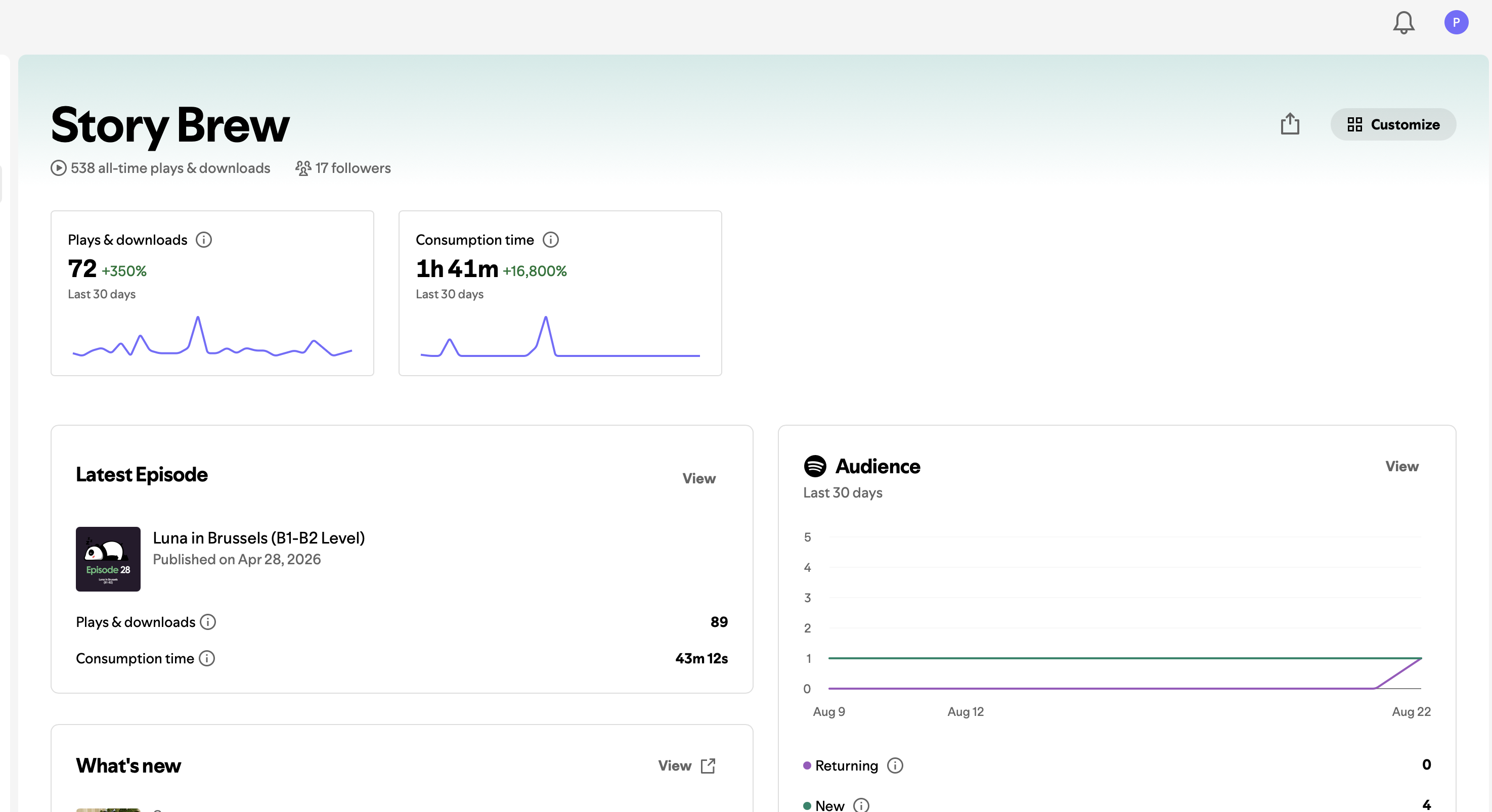
Crisis avoided. I decided to keep Story Brew's DNA exactly as it is, bedtime stories for B1 to B2 learners, and build a separate podcast channel for Study Brew with general conversations and stories that are less fantasy and more grounded in real life.
Either way, both channels point back to the Study Brew website, and that's the cleanest path I could find. I think it's the right call.
Website
The current website took me a long time to get right, with plenty of frustration along the way, because Claude is bad at design mockups even when I'm just giving it direction.
I eventually landed on a default dark mode, with Reddit Sans Bold for headlines and Reddit Sans for body text.
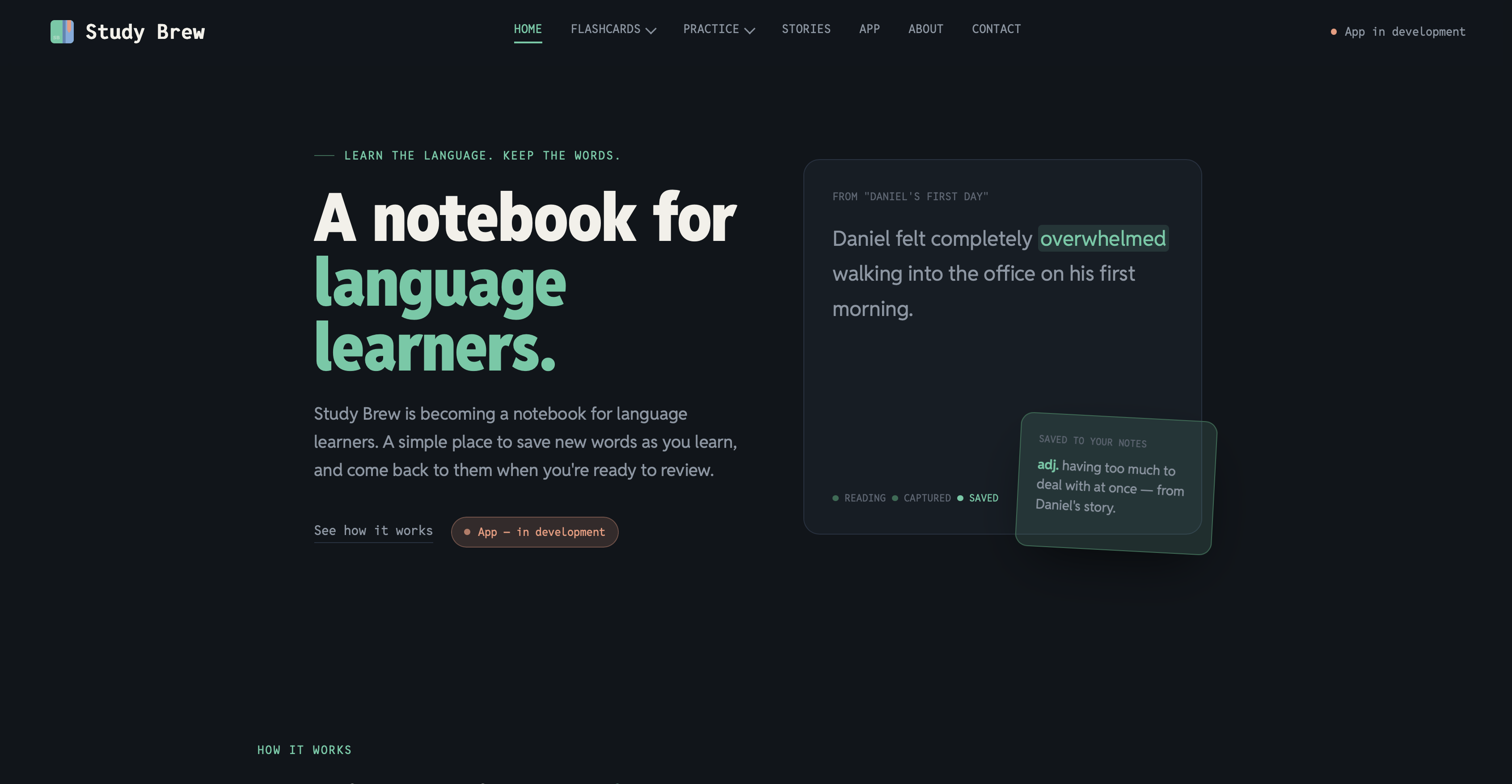
I really love how it looks. But I'm also aware that education, even DIY education, needs readability first, and I'm not entirely sure yet if I've nailed that balance. Then again, design is easy to change later, and I'm fairly convinced this is the right direction for now.
I wanted to build something accessible, without pushing sales, even though the app is already kinda live, but only for myself for now.
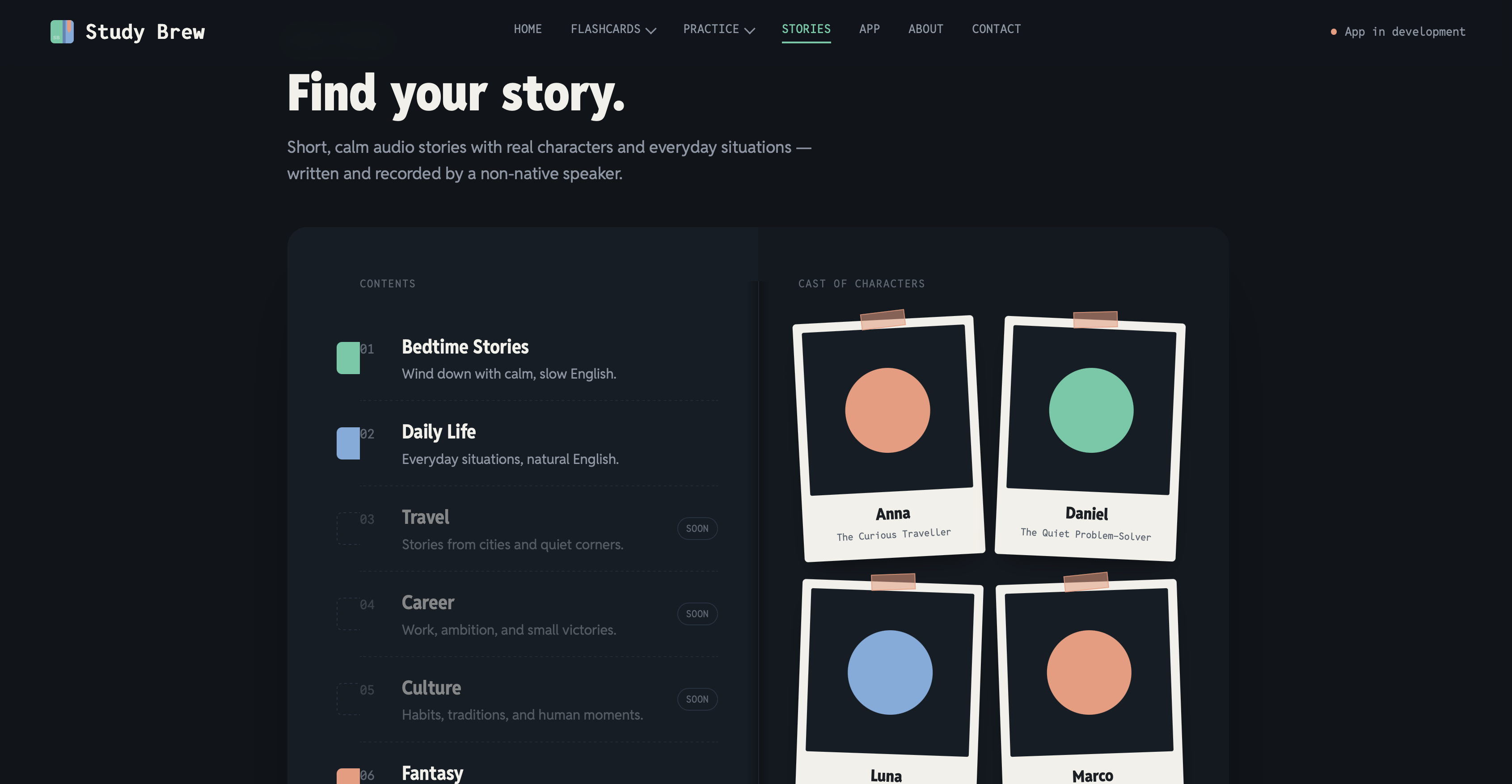
So I'm trying to build enough content around it, starting with the recorded bedtime stories.
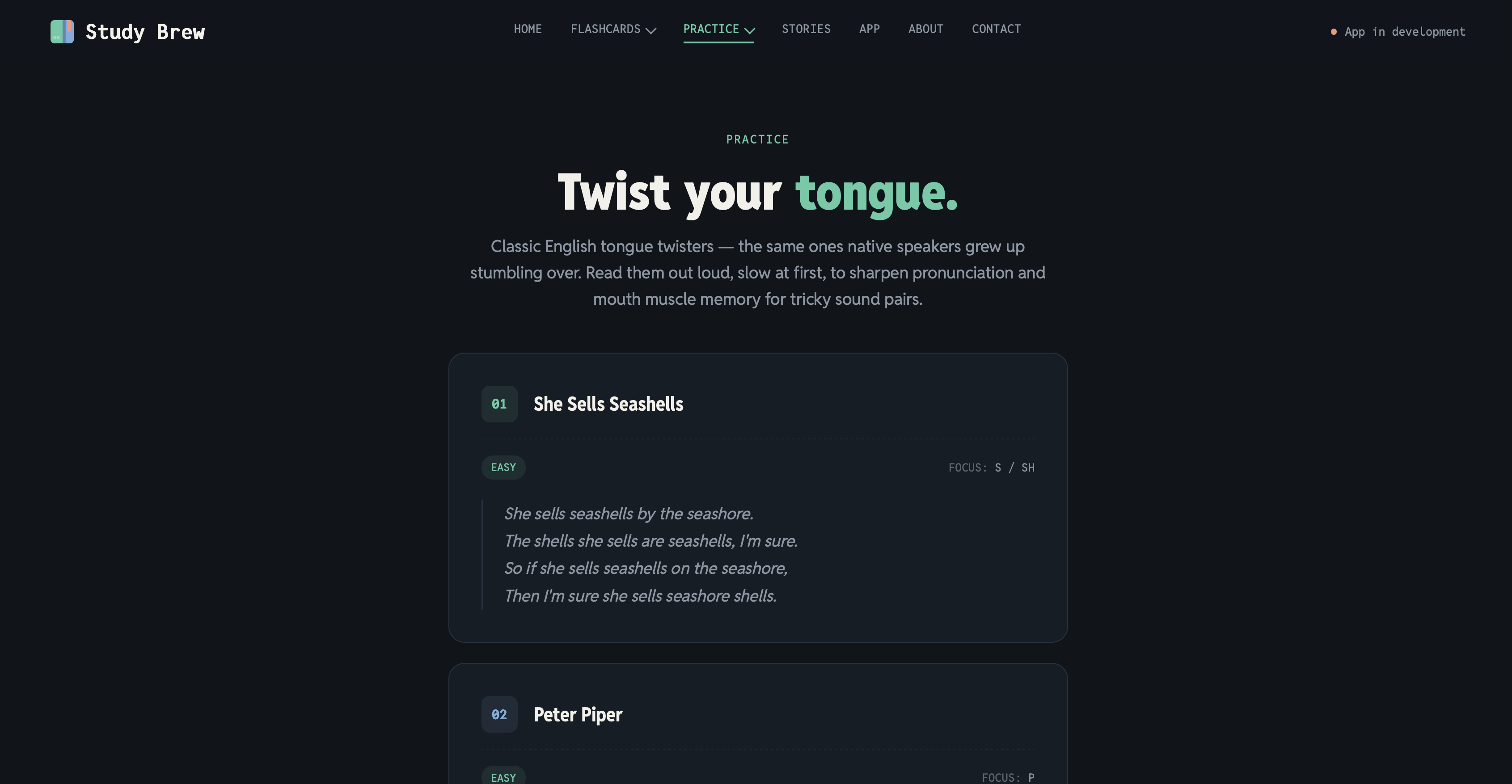
The website currently has flashcards for basic English words, with a call to action to save them to a notebook, which requires signing up.
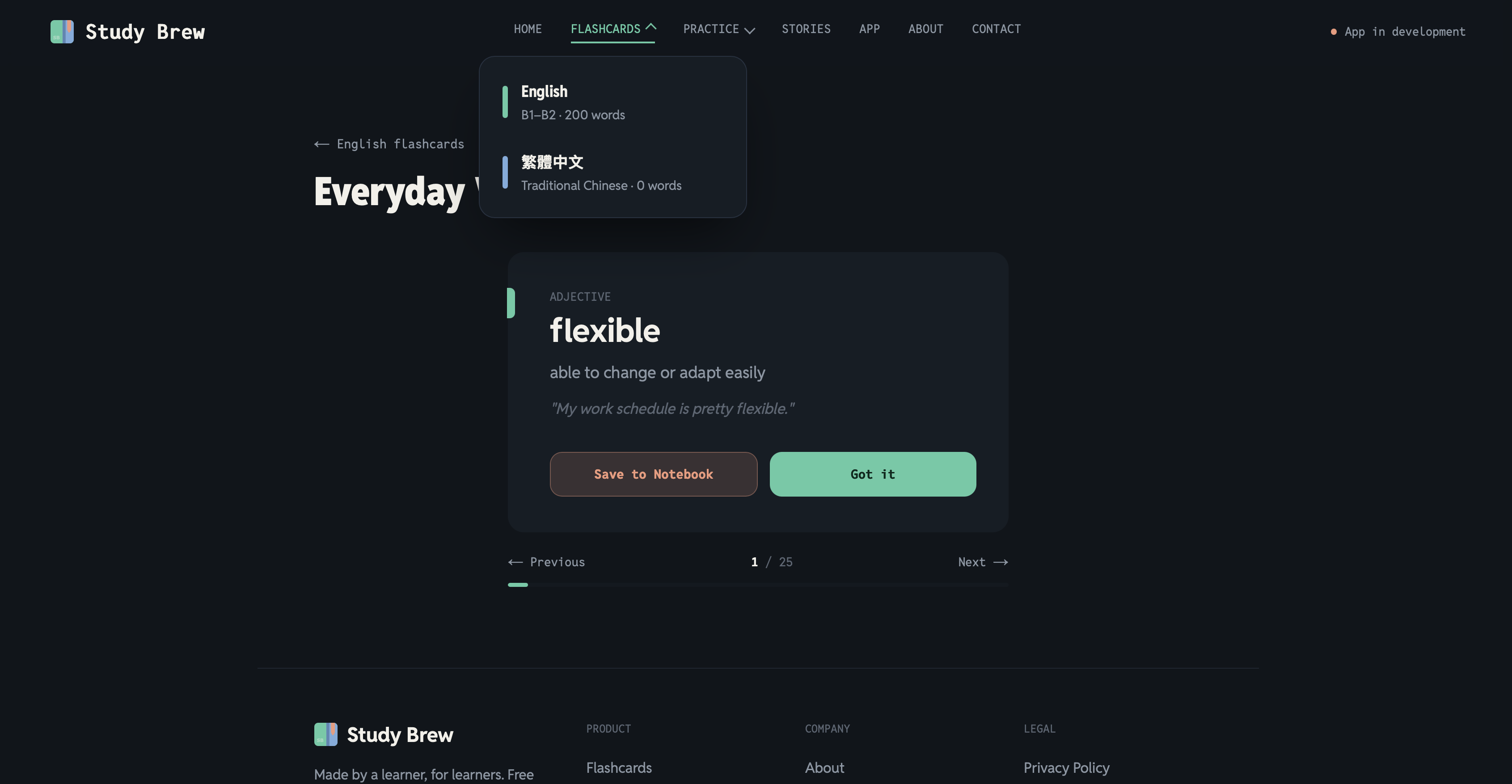
I added tongue twisters and word pairs that sound similar. For now, that's enough, but I'll expand it into more detailed free practice content over time.
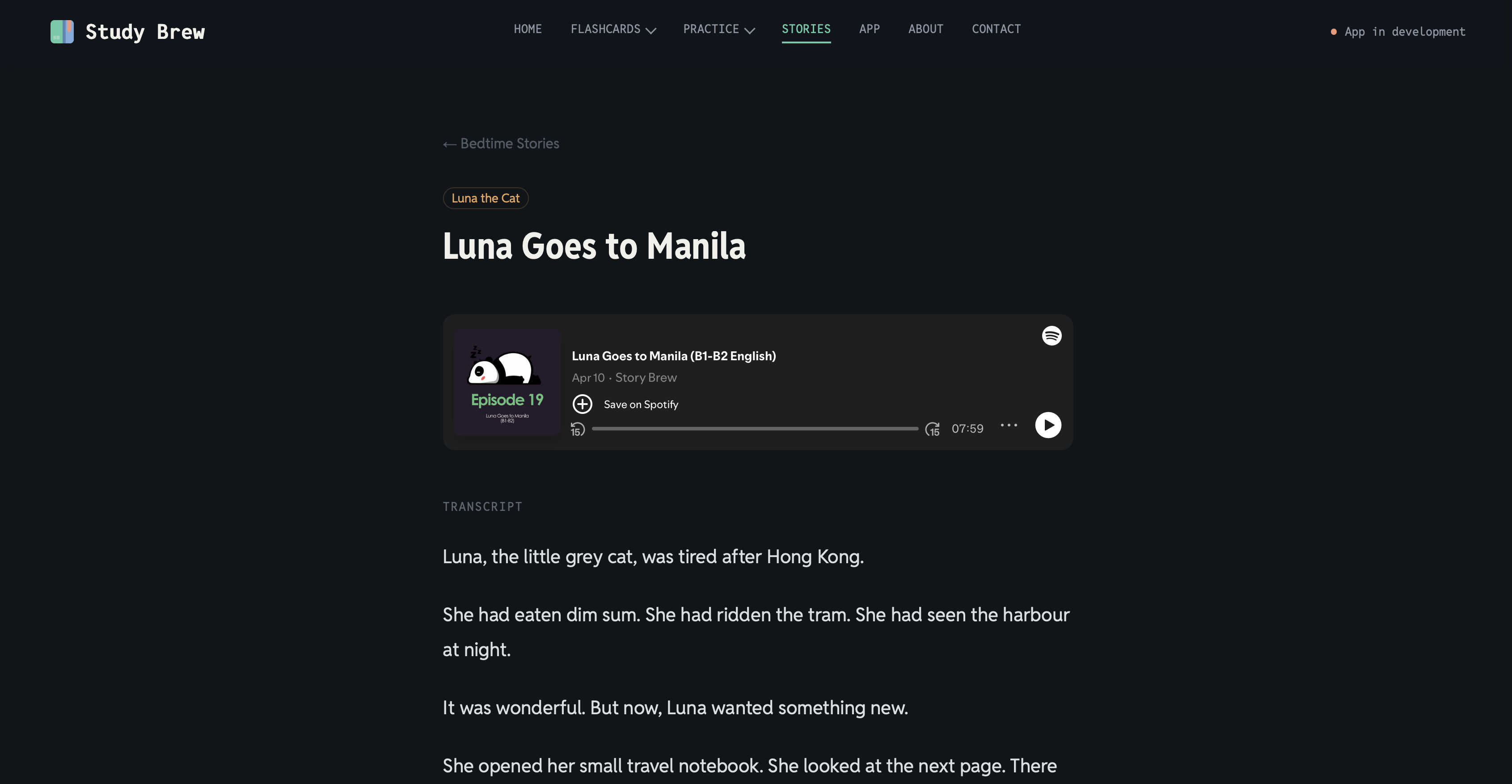
The real value, of course, is the bedtime stories and the fact that I'm the one recording them.
I added the stories along with the script so listeners can navigate to Study Brew directly, and hopefully I can organically funnel them toward the paid app from there. The more I record, the more exposure I get on Spotify and YouTube, and the easier distribution gets without me having to push it aggressively.
The app: progress so far
I've pivoted on this more fucking times than I can count. For a while I thought building this app was my true nemesis.
I'm still far from ready, but some of the core functions already exist. I took the core structure from TWO Docs: the documents, a rough version of the folder structure, and the way content syncs.
The flagship idea is that all the sections, the workspaces, are called notebooks. You could have multiple notebooks, one for travel content you're trying to read and learn from, another focused purely on grammar; however you want to build it out.
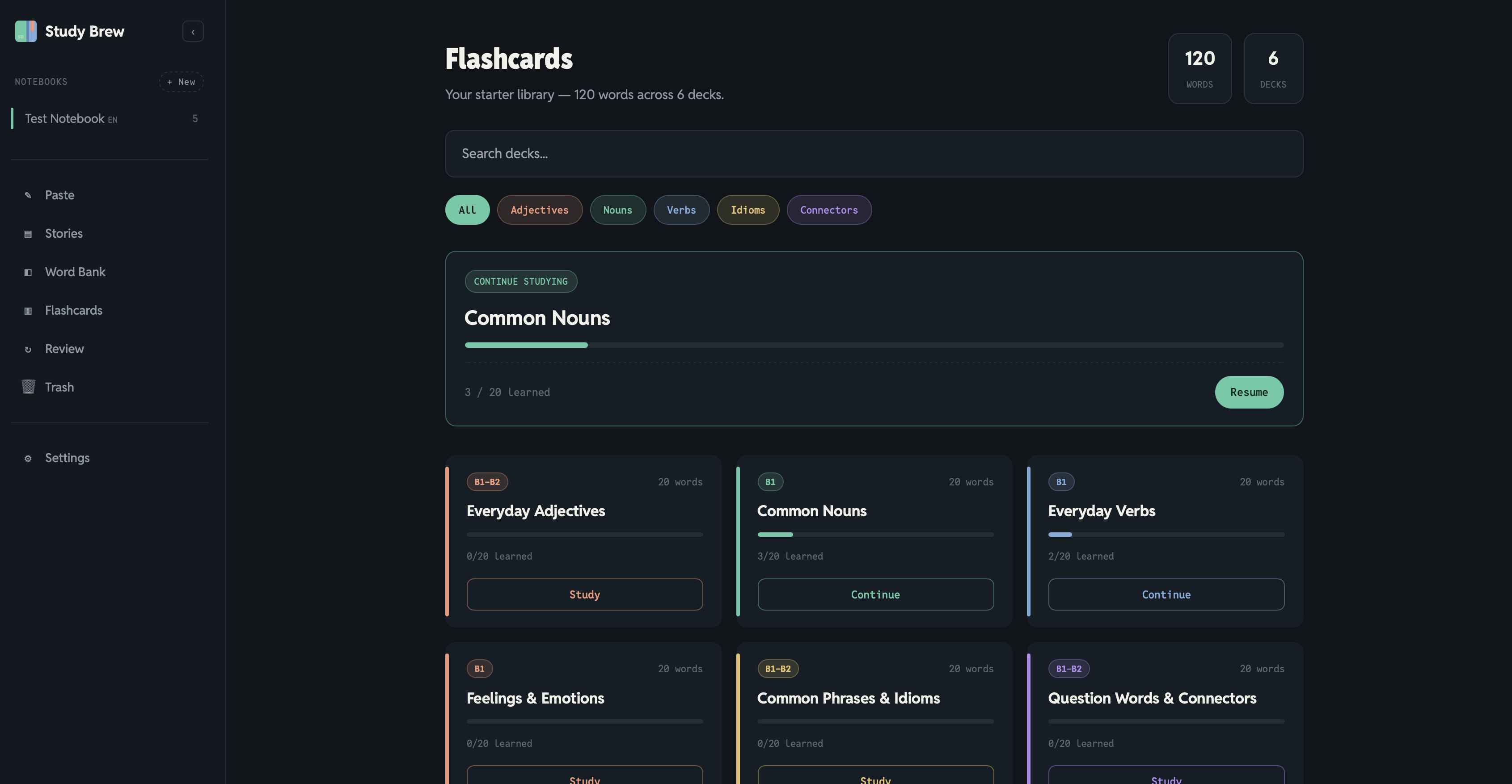
I started by adding decks, expanded with word decks. Some decks come by default per user so the space doesn't feel empty from day one, but the real power is that a user can add their own words to any deck.
Here was the biggest challenge I ran into:
I thought it through by looking at my own language learning journey with Traditional Chinese. I'd have to write something down, copy and paste it, fucking save it again, click through five fucking buttons, and then still organize everything myself afterward.
It's daunting, a nightmare, and it discouraged me from learning.
So the first solution I built is that you can add text to a document, highlight a word, and save it straight to a word bank.
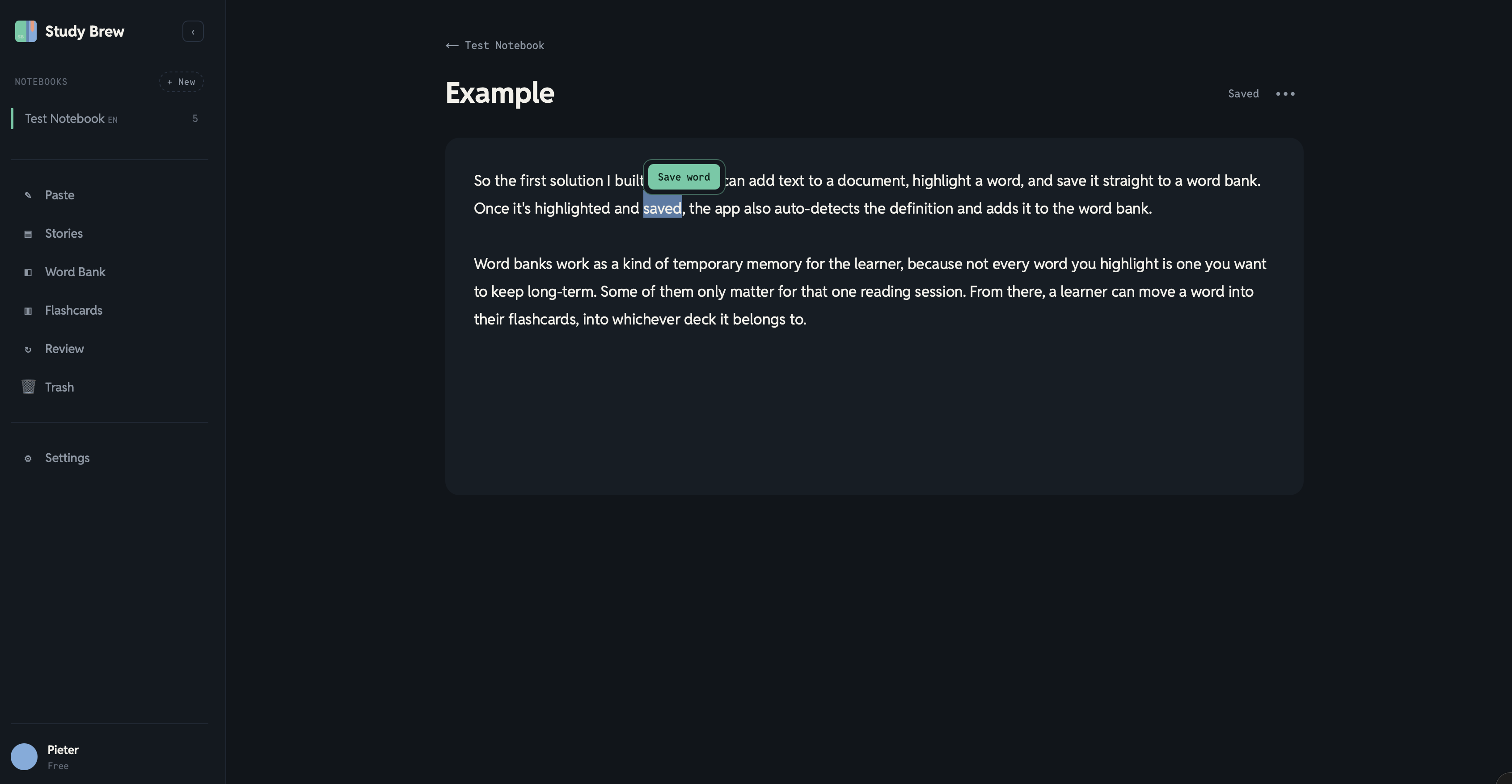
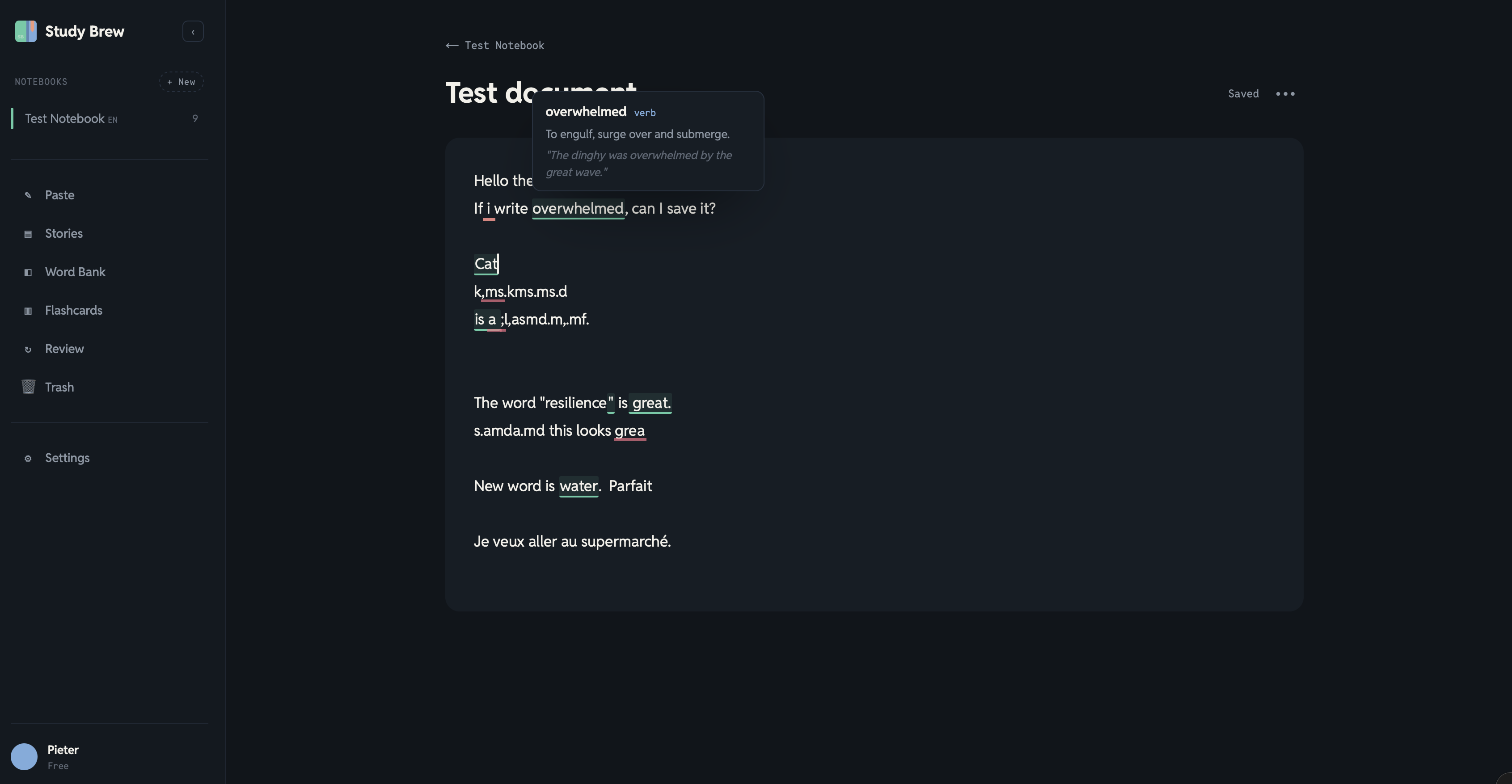
Once it's highlighted and saved, the app also auto-detects the definition and adds it to the word bank.
Word banks work as a kind of temporary memory for the learner, because not every word you highlight is one you want to keep long-term.
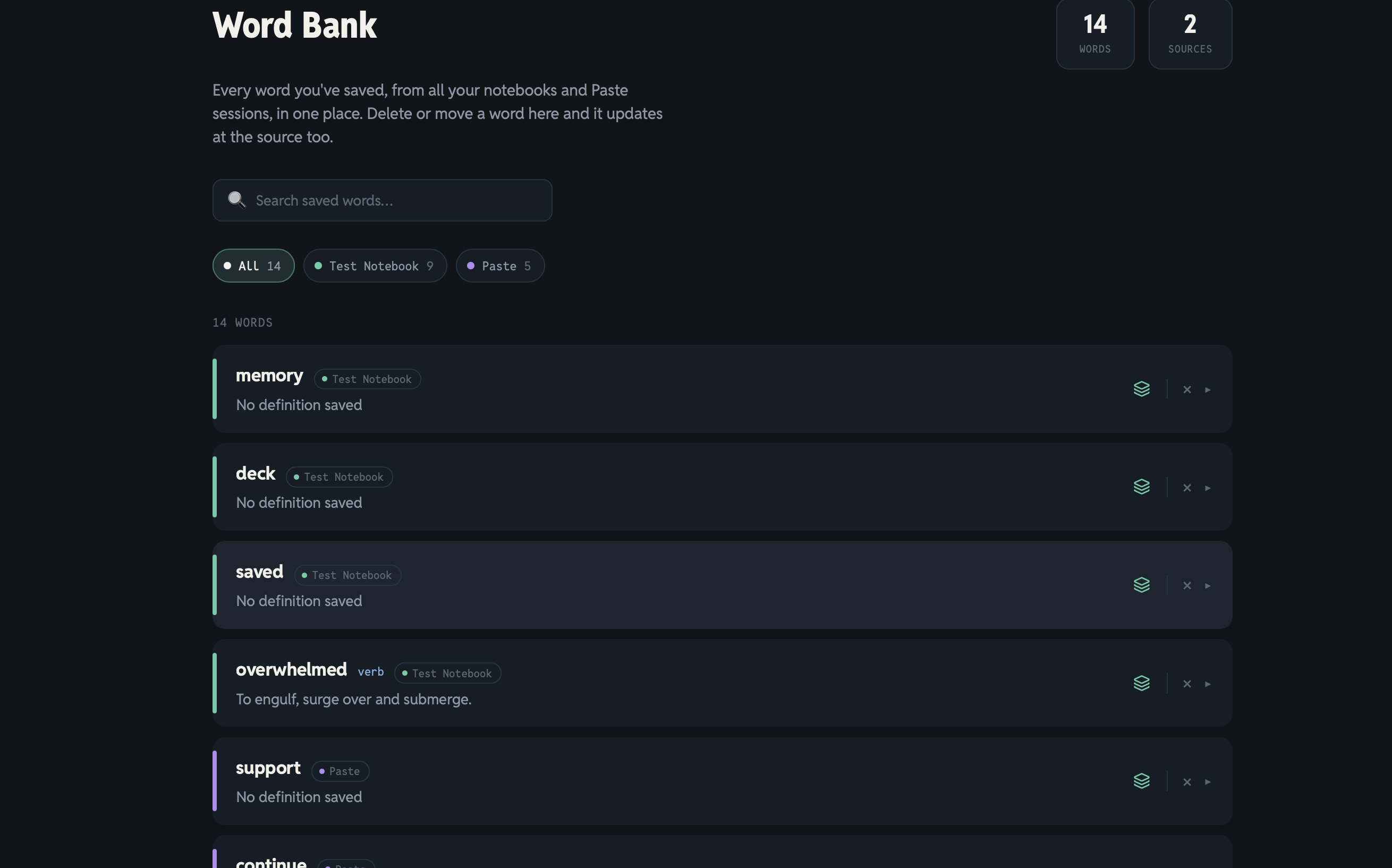
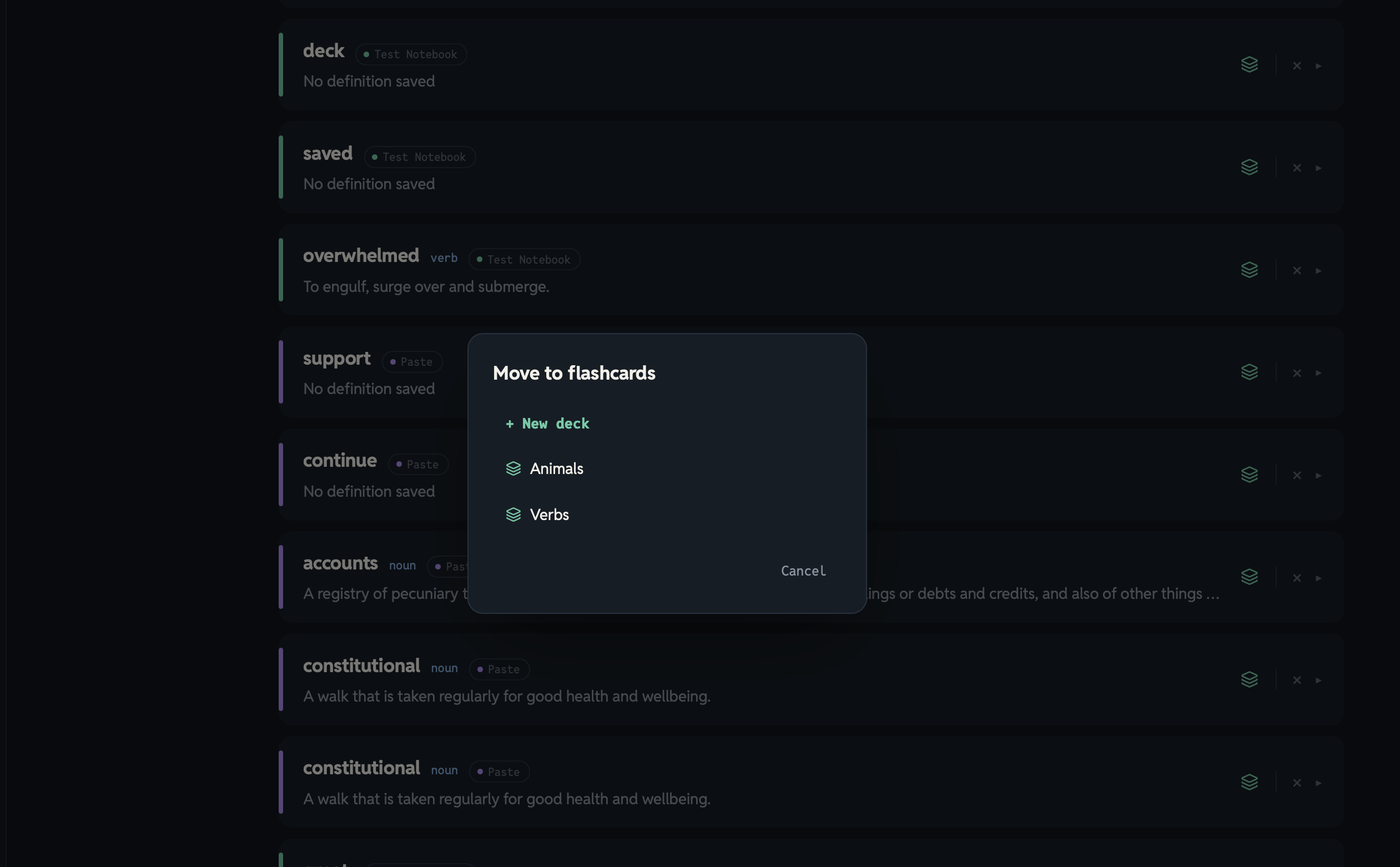
Some of them only matter for that one reading session. From there, a learner can move a word into their flashcards, into whichever deck it belongs to.
I think that's already a solid start for where I am today. There's more, but this part alone was challenging enough to build.
It's still buggy. You can clearly see in the screenshots that it sometimes fails and doesn't fetch the definitions, or fails to underline/highlight them, but I think that's solvable.
I also need to build out a much larger local dictionary and keep feeding it with millions of words, but that's not the biggest hurdle right now.
I also added a section called Paste, which is basically a quick note. You'll often read an article and want to copy and paste a snippet because some of the words don't make sense to you yet.
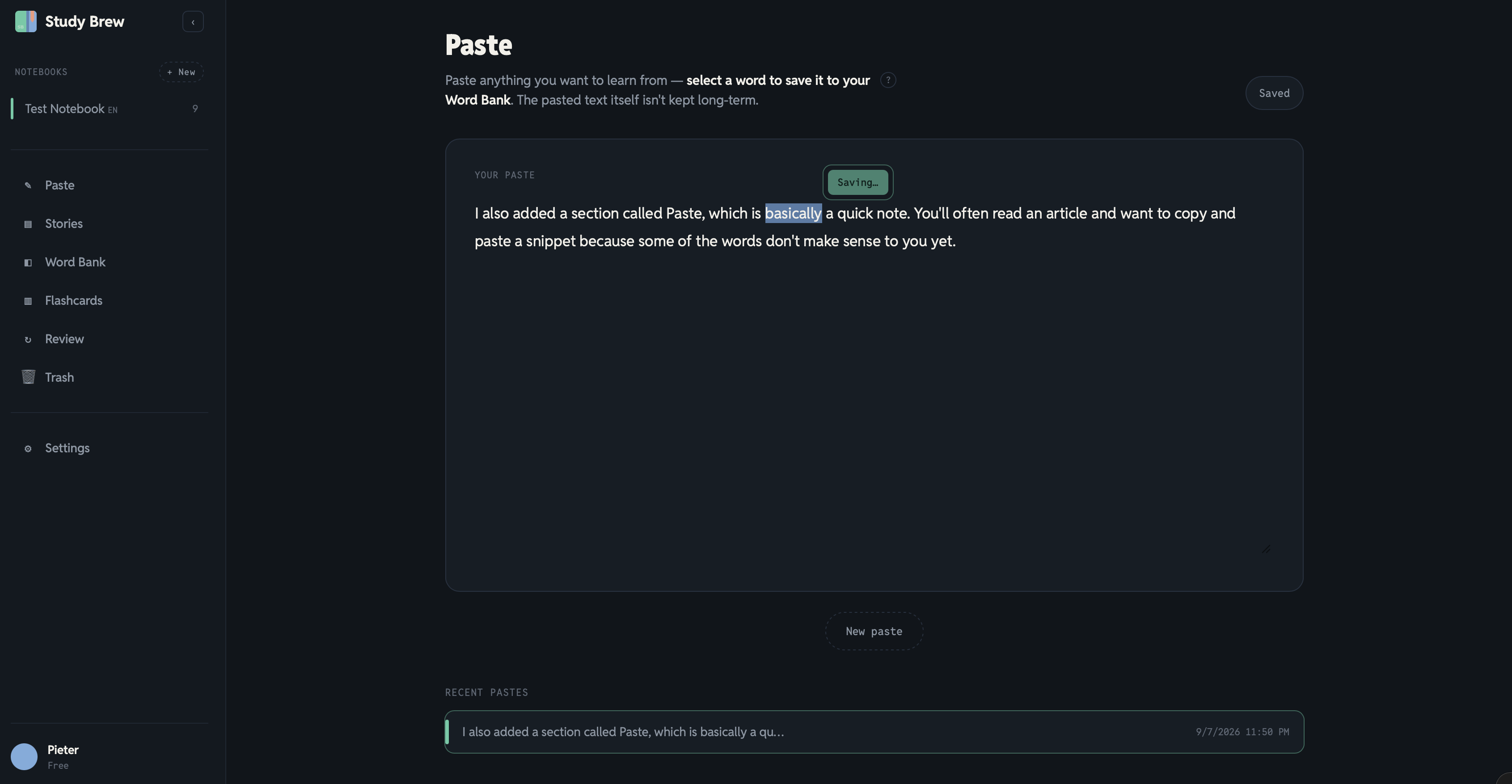
Instead of forcing you into full document and notebook organization right away, Paste makes it more accessible. It has the same highlighting features, and the words still end up saved in your word bank.
The reason I opted for this instead of regular notes is that Docs and Paste have a clear distinction. Learners are often structured and organized. But if we have docs and notes, then we end up with a mess again, and now paste is a fast temp solution for them without clutter.
Vision
This is closely aligned with TWO Docs, which is built for solo users and small teams working in shared spaces. Study Brew follows the same principle, except it's aimed more at teachers who teach students online.
The scenario I have in mind goes like this. A teacher has students and pays a monthly or yearly subscription, and can create multiple workspaces or classrooms, one per student.
Teachers, especially the ones who teach pronunciation, can highlight the words a student struggles with during a call, and I think that's the single most powerful interaction in the whole app.
The student sees it visually, the teacher remembers it, and the next lesson focuses on exactly what needs work.
What's next for me?
I feel more motivated than I have in a while. I'm genuinely excited to start recording bedtime stories again and to be more emotionally invested in this project.
Now that I've written all of this down, I think my focus should be solving the dictionary problem first, then running a proper QA check on where the app stands.
Just like I learned with the Mac app and TWO Docs, I'm going to deconstruct what I already have, make sure it works, and focus on the notebooks and organization side to see if it fucking holds up.
There are a ton of ideas I might implement and just as many I probably won't, but that's something my instinct is better at filtering now than it used to be.
I should add a waitlist email call to action soon, once I start recording again and pushing traffic to the website. After that, I want to build an open public roadmap.
Final note
Looking back from that first attempt in September last year to where I am now, four months into building, it's clear proof of progress, at least to me.
I wanted to document this, mostly for my own future reference. This ended up long, but I wrote it because writing it out is what made all of this clear again.
Get new posts before anyone else
No noise, no automation sequences. Just what I'm writing, thinking about, and building, sent when there's something worth sending.
An email once in a while. Unsubscribe anytime.

Written by
Pieter Borremans
Writer·Content creator·Founder
Based in Taichung, Taiwan and London, UK, this is Pieter's personal journal and builder's blog: field notes on entrepreneurship, solo business-building, and the unfiltered reality of creating online. Alongside it, he's chasing one absurd goal in public, $168M USD in lifetime earnings, tracked live from zero.