I Built an Entire OS Dashboard for My Needs
Subscription fatigue is real, especially when you're juggling multiple projects, hopping between tools that each do one thing and require a separate login, a separate tab, and a separate mental context switch.
I was deep in that for years. Then I swapped careers, got comfortable building with Claude AI, and launched my first few micro-SaaS products.
Somewhere in that process, I started thinking about a different kind of problem: Not what to build next, but how I was working day to day.
The answer wasn't automation. It wasn't AI agents or scripts. It was simpler: I needed one place that handled everything.
The real pain points
Before I built anything, I mapped out what was genuinely broken in my workflow:
Drafting, writing, and publishing content
An internal overview of every project with the right metrics
Organizing and writing Story Brew's bedtime stories
Tracking content
Planning, writing scripts, and tracking podcasts and other social media channels
Centralizing tasks, planning, and the calendar
Writing internal documents
A better note-taking setup than Apple Notes.
Publishing roadmaps through Sorano.
Unified search across everything, similar to Dropbox Dash.
An idea board that isn't yet another app.
Email, even though I use Spaceship and iCloud Mail.
And yes, I added some personal stuff too. Movie watchlists, a subscription tracker. Because why not?
I already hear the obvious reply: just use Notion. But Notion doesn't work for me. It's bad for actual writing, bad for notes, and increasingly cluttered. Especially now that AI is baked into everything by default.
I don't need ambient AI living inside my note-taking app. I just need the tool to work.
How I got there
It started with TWO Docs. Building that taught me a lot about how to think about a document and a collaboration layer. What it needs structurally, where the friction usually lives.
When I was deep in the TWO Docs beta, I had already built in split-view and roadmap planning. One thing led to another, and I ended up with something much bigger: a full OS dashboard that manages everything from a single app.
Best features
Split-view docs and notes. No more juggling windows or relying on Apple's shortcut hacks to tile two apps side by side.
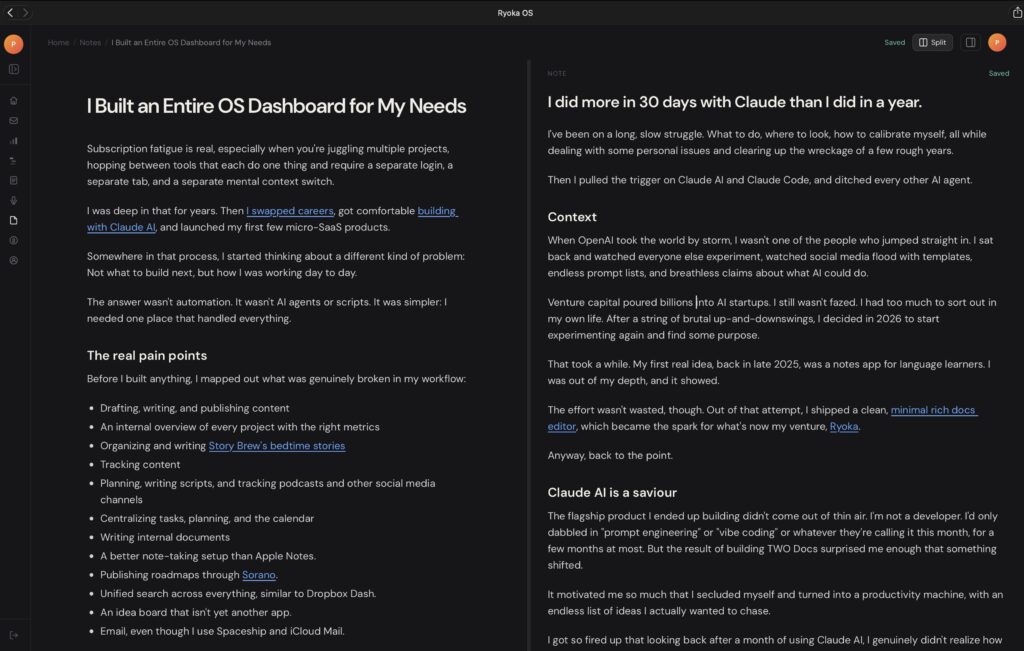
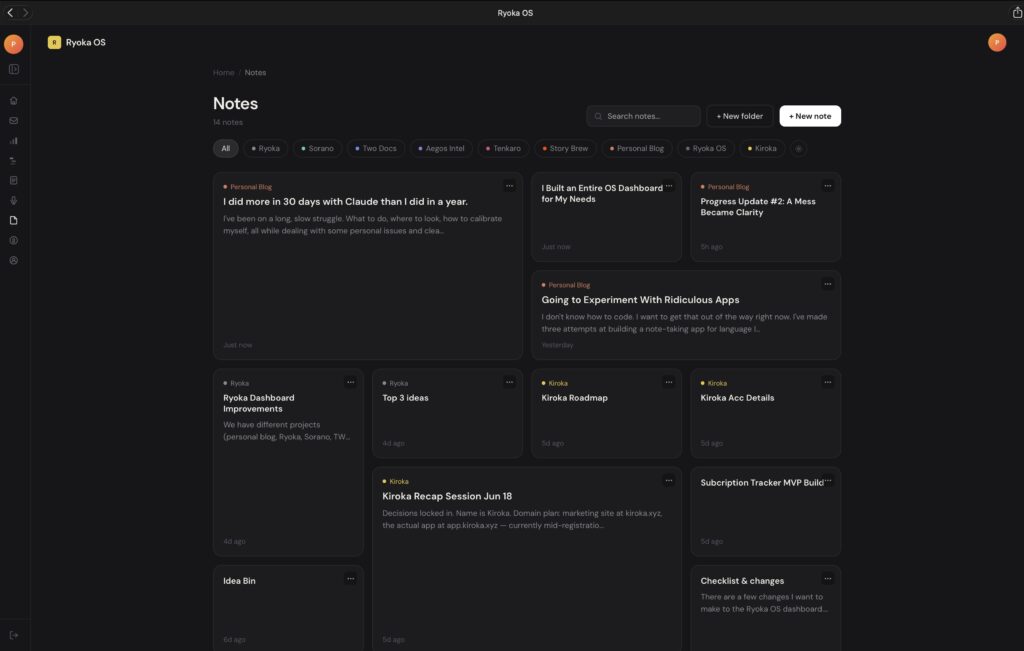
Notes with a creative bento grid. This one genuinely changed how I take notes. It feels good to open, which sounds small but matters. I use it now instead of ignoring it.
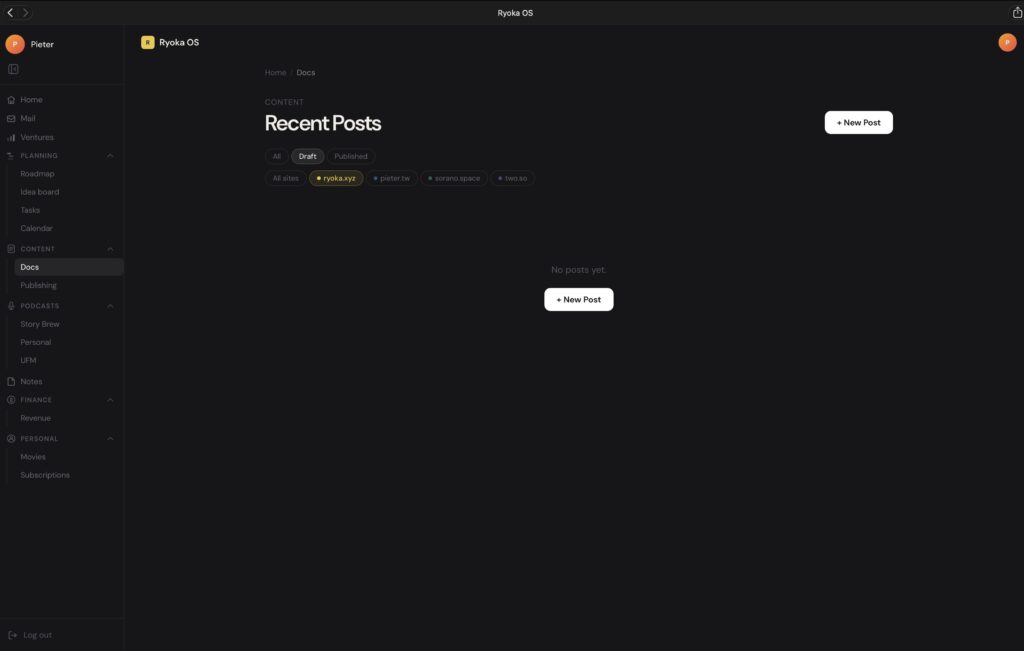
Docs for blog posts, connected to my sites. The reason I separated docs from notes is that docs can be published. I can write, update, and push any post to any site I've connected built with Vercel and NextJS. No separate WordPress dashboards, no configuration hell. That whole problem is just gone. (I hid the docs because there are some sensitive ones)
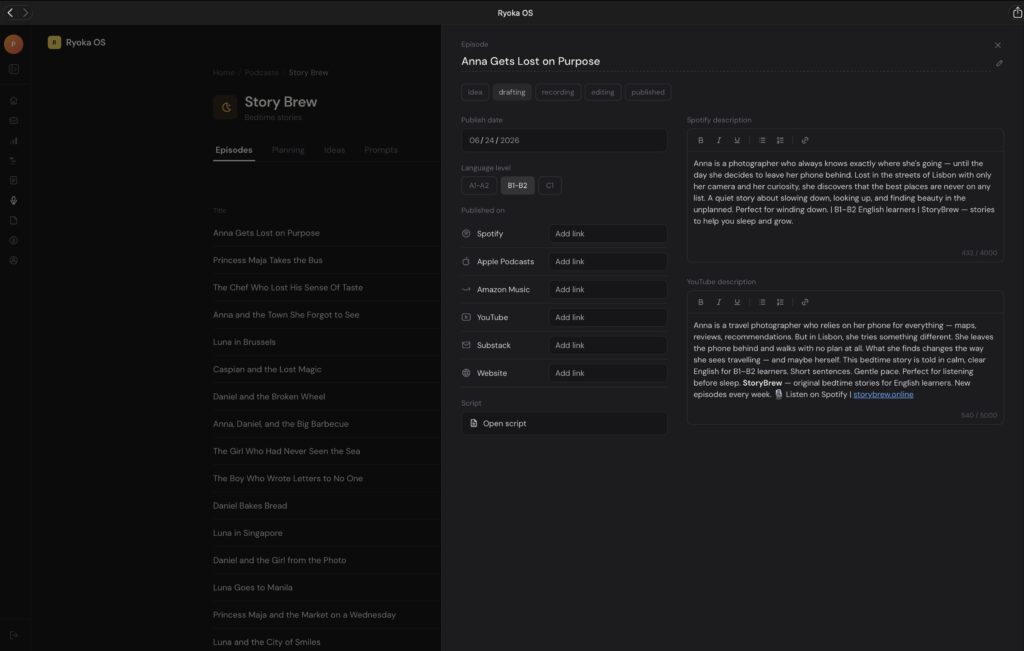
Podcast workflow, completely rebuilt. This one was the biggest nuisance before. My old process:
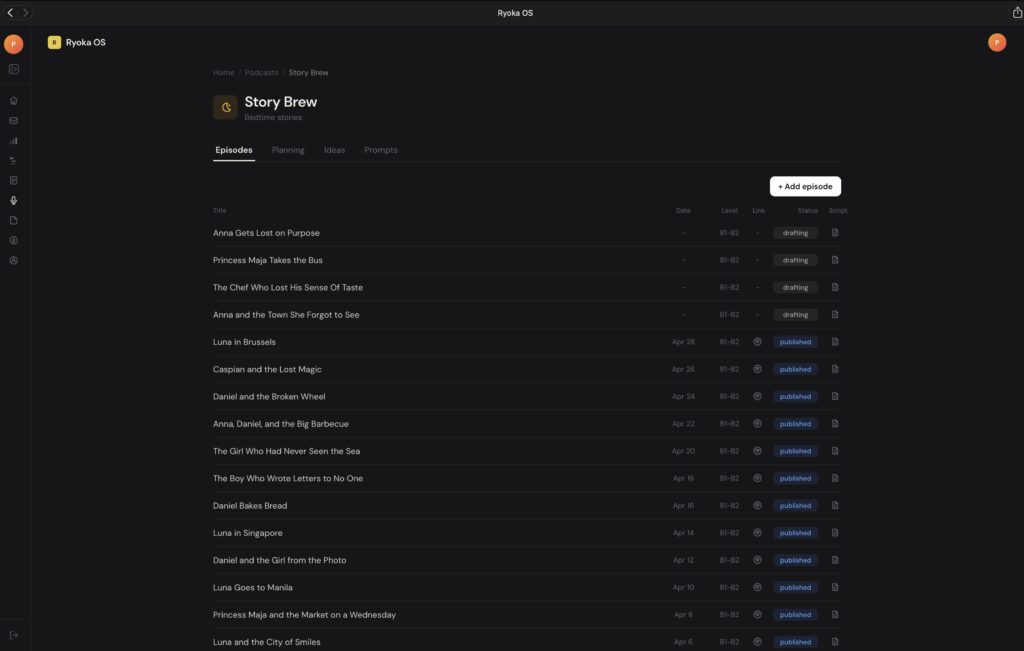
Draft scripts with Claude AI → paste into Apple Notes for raw editing → paste again into Apple Pages for recording → lose ideas in Apple Notes → fail to plan properly in Apple Notes.
Now I do 95% of it inside my own dashboard — drafting, editing, tracking, ideating, planning. The only outside step is the recording itself. The script lives as a doc, but with a Reading Mode that enlarges the text so it's comfortable to read aloud while recording. Small thing, massive quality of life improvement.
Final word
I wish I'd done this sooner. Building a custom solution that fits exactly how I think requires minimal maintenance and stays completely free of the distractions that come packaged with tools like Notion. No AI, I didn't ask for. No features pulling my attention sideways.
The best outcome is that opening my OS dashboard on iPad or Mac is now just a reflex. I don't think about it. I just open it and start working.
That's what purposefully built feels like. Not endlessly configuring, not exploring rabbit holes. Just working.
Get new posts before anyone else
No noise, no automation sequences. Just what I'm writing, thinking about, and building, sent when there's something worth sending.
An email once in a while. Unsubscribe anytime.
Written by
Pieter Borremans
Writer·Content creator·Founder
Based in Taichung, Taiwan and London, UK, this is Pieter's personal journal and builder's blog: field notes on entrepreneurship, solo business-building, and the unfiltered reality of creating online. Alongside it, he's chasing one absurd goal in public, $168M USD in lifetime earnings, tracked live from zero.